QuilltyCat

A warm corner for every book.

Read, listen, scribble and take notes, all in one cozy app for Android. No ads, no tracking, and no account needed: sign in only if you want your notes on all your devices.

Download for Android

Version 0.5.1 · 921 KB · Android 8.0 or newer

Google Play coming soon

Opens

  • PDF
  • EPUB
  • CBZ · CBR
  • Images
  • MP3 · M4B
  • FLAC · OGG · Opus

Speaks

  • English
  • 中文(简体)
  • हिन्दी
  • Español
  • Français
  • العربية
  • বাংলা
  • Português

Have a look

What it looks like on your phone.

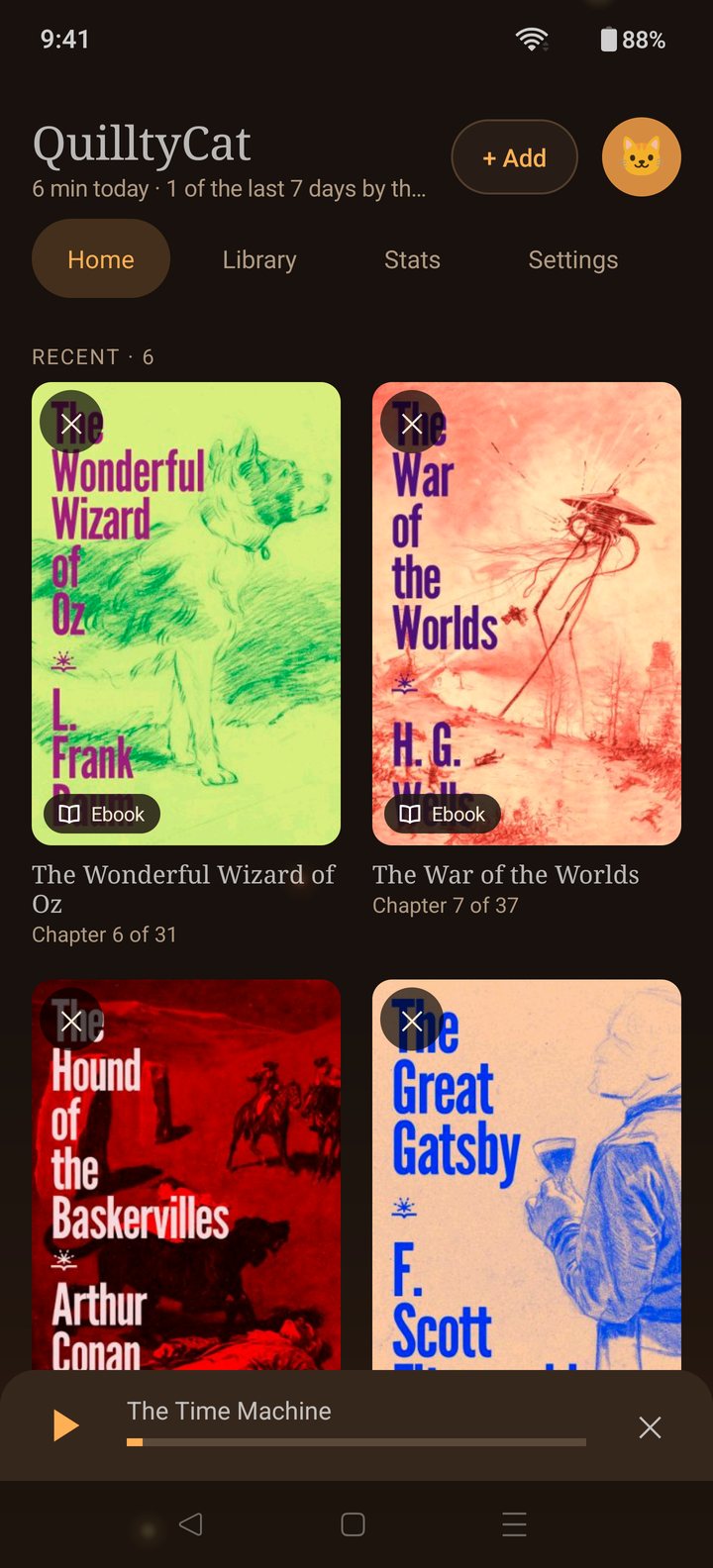
  • QuilltyCat’s home screen: the hearth at the top, then the books being read, each with its cover and how far along it is.
    Home: what you’re reading, by the fire.
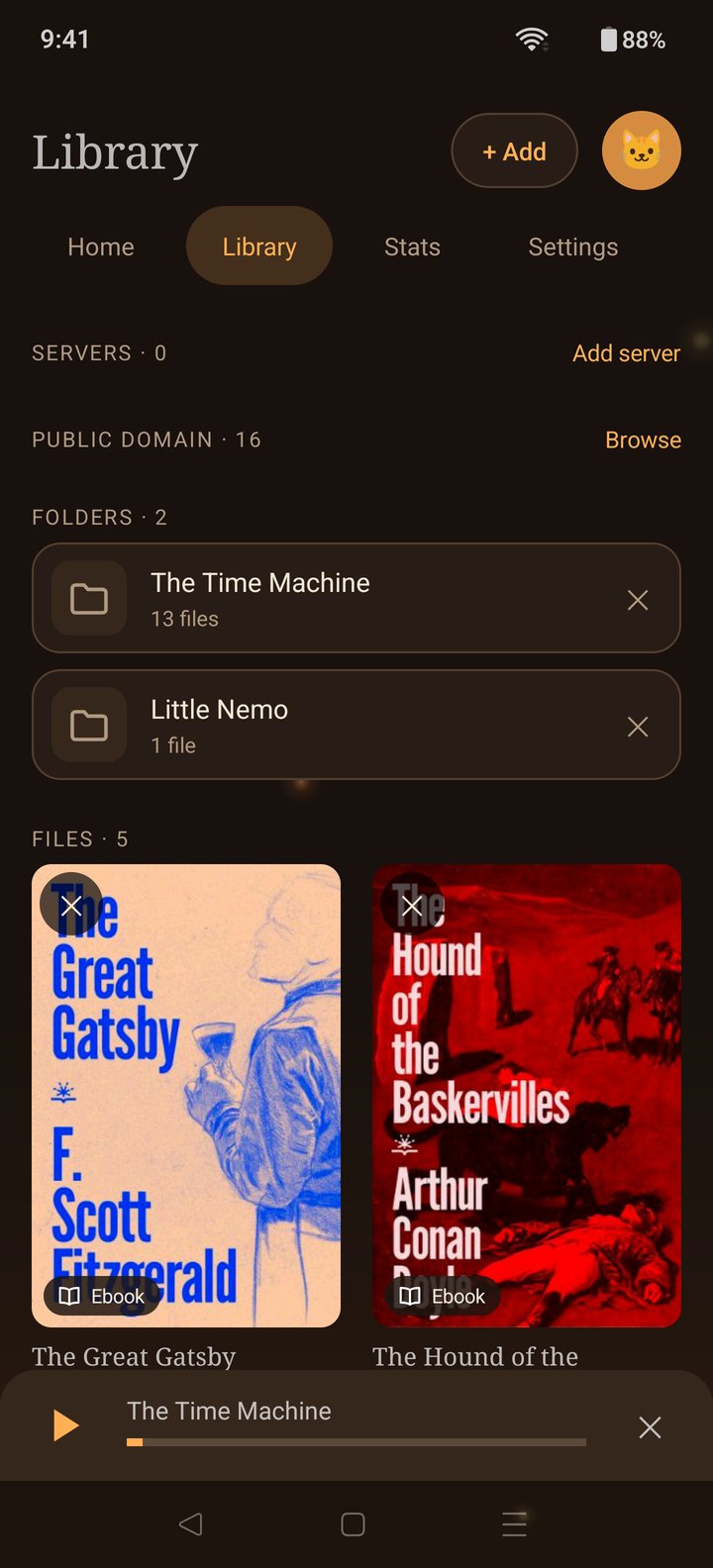
  • The Library tab: a place to add your own Jellyfin server, the free public domain books, two folders on the phone, and the books in them.
    Your library: folders, files, free classics, and your own Jellyfin server.
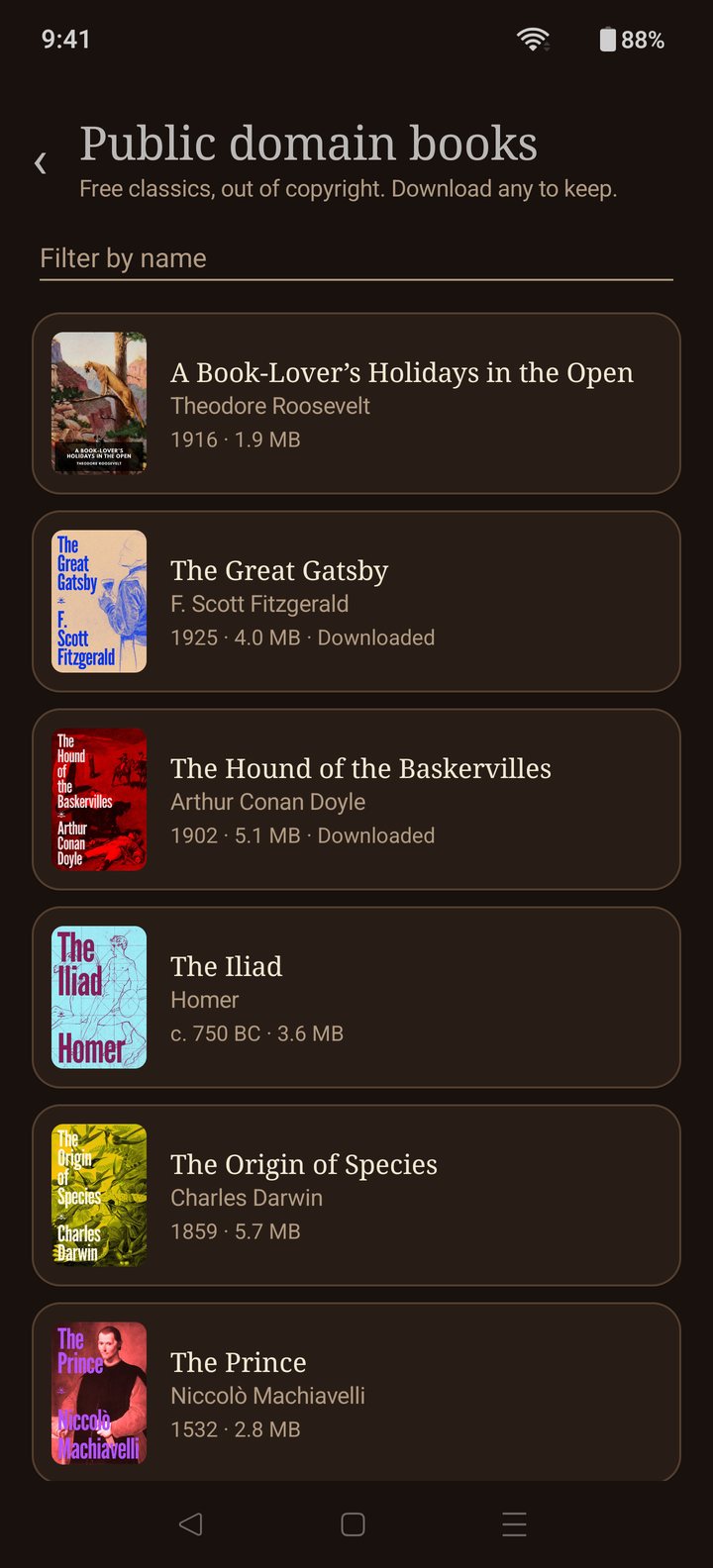
  • The list of free public domain books, each with its cover, title, author and size.
    Free classics to start your shelf.
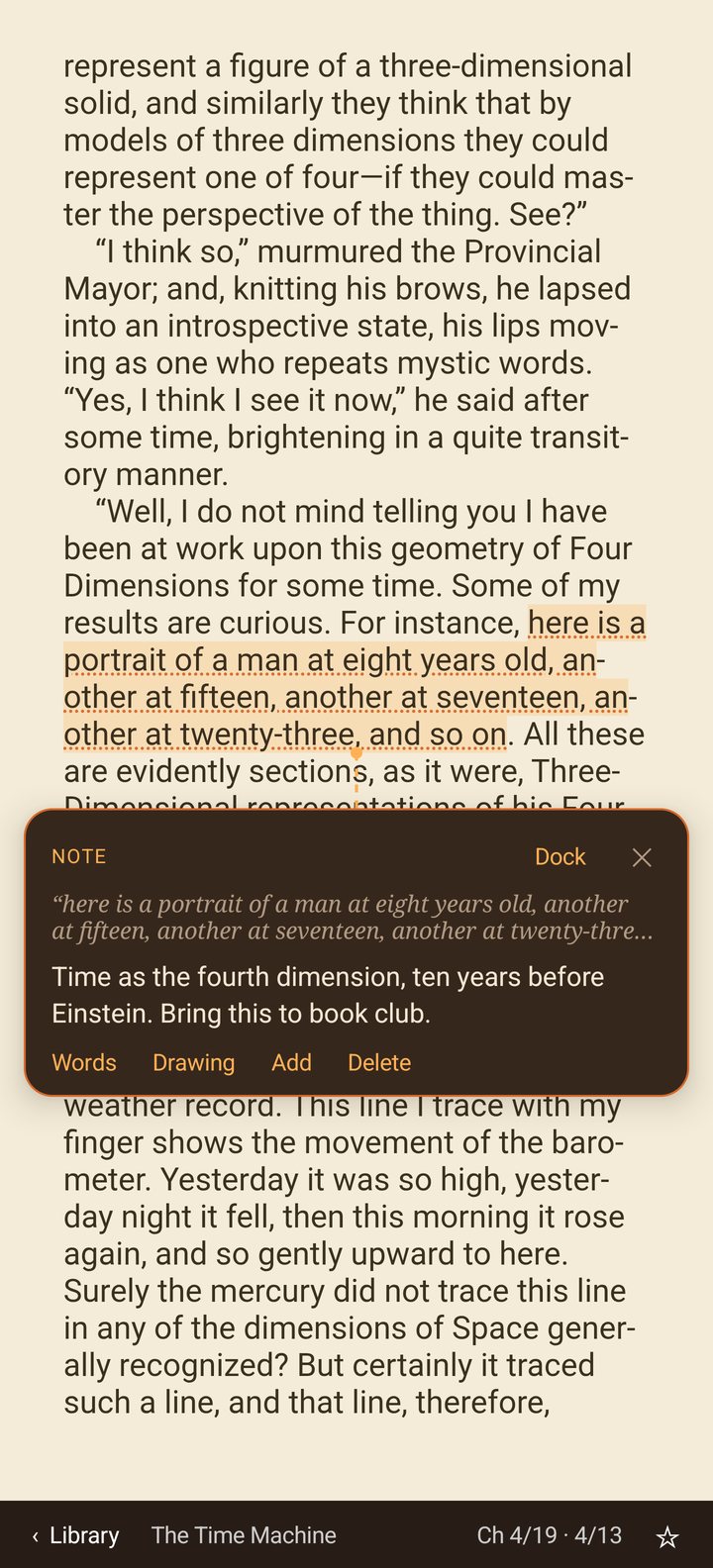
  • A page of a public domain novel, with a note written about the passage.
    A note pinned to a passage.
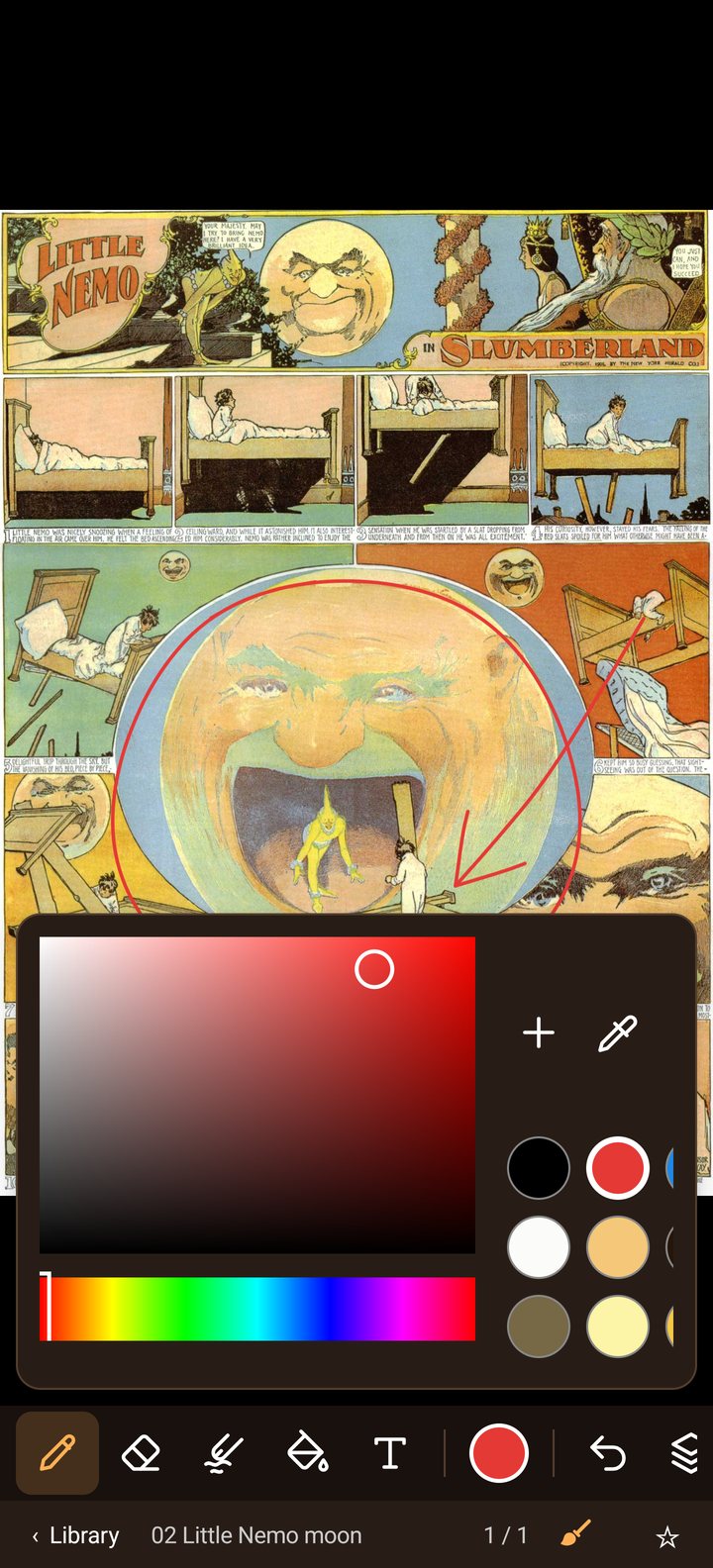
  • A comic page with a circle and an arrow drawn on it, and the colour picker open with colours taken from the page.
    Draw and scribble right on the page.
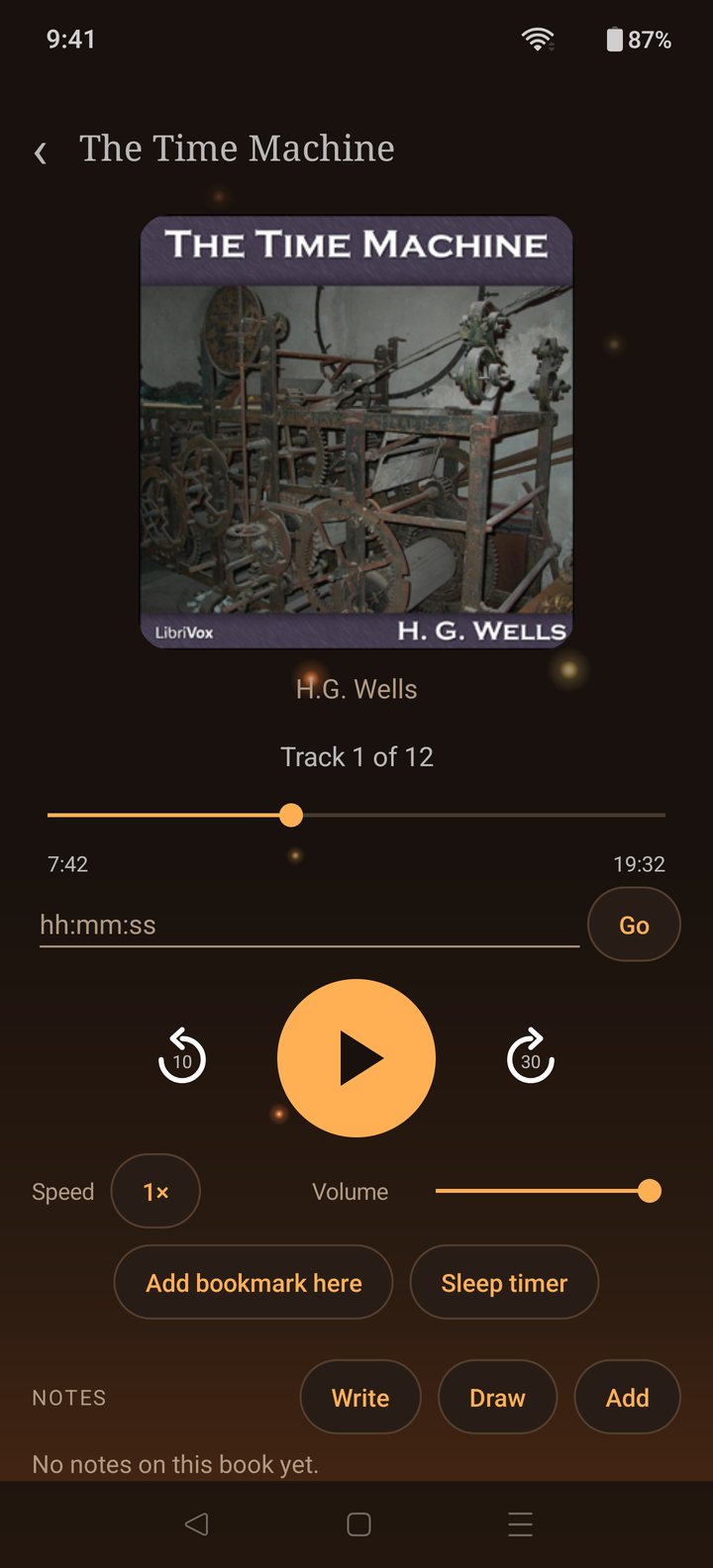
  • The audiobook player: the cover, the chapter playing, and controls for speed and the sleep timer.
    Audiobooks with chapters, speed and a sleep timer.

What’s inside

Everything you do with a book, in one place.

Books, comics and papers

PDFs, EPUBs, comic archives and folders of images open in one reader, from your phone or from a Jellyfin media server you run yourself (we don’t host media servers; QuilltyCat just connects to yours). Two-page spreads, warm themes, and the sound of a page turning.

Audiobooks that remember

Plays in the background with the screen off. Chapters, bookmarks, speed, and a sleep timer that can wait for the end of the chapter.

Draw right on the page

Pen, eraser, smudge and fill on up to six layers a page, with blending modes, pen pressure and colours picked from the page itself.

Notes in the margins

Pin a note to any place in a book, typed or drawn by hand, with a photo, a video or a voice note, and find them all again from the book’s notes.

A shelf for everyone

Each reader in the house gets their own books, places and notes. Pick a name and a face, and switch with a tap. Sign in, and everyone’s notes follow them to your other devices.

A vault for the rest

Put any book in a PIN-locked vault and it stays out of sight until you open it again.

And a fire to read by. QuilltyCat counts your reading and listening time, sittings and pages, and the hearth on the home screen burns brighter the more you read. Miss a few days and it settles to embers, but it never goes out: there’s no streak to break.

Private by design

Your notes, on your terms.

Without an account, everything stays on your phone. Sign in with persera and the words of your notes follow you to your other devices, while drawings, photos and voice notes go straight between your own devices, encrypted, never through us. Your notes are never shown to anyone else.

  • No account neededSign in only to sync.
  • No adsNothing between you and the page.
  • No trackingNo analytics, no crash reporters.
  • Your files stay putRemoving a book never deletes the file.

Install

Four taps from here to your shelf.

Until QuilltyCat is on Google Play, it installs straight from this page. It works on Android 8.0 and newer.

  1. 1

    Download the APK

    On your Android phone or tablet, tap the download button. The file is 921 KB.

  2. 2

    Open it

    Open the file from the download notification, or from your Downloads folder.

  3. 3

    Allow this one install

    Android asks before installing apps from outside Google Play. Choose Settings, turn on Allow from this source for your browser, then go back.

  4. 4

    Install, and open a book

    Tap Install. Open QuilltyCat, choose Sign in with persera or Continue without an account, then tap Add file or Add folder and pick where your books are.

Version 0.5.1 · 921 KB · Android 8.0 or newer

Updating

Download the newer APK and install it the same way. It installs over the one you have, and your books, places, notes and drawings stay as they were.

Check the download

To make sure the APK is the one we published, compare its SHA-256 hash with this one:

93bf2933082c6f9b7bde1c6515f44d6d2da1a5cb24fdae3c82a40b6027473e4c

Every QuilltyCat build is signed with the same Persera Software key. Its certificate’s SHA-256 fingerprint is:

81:32:D5:F5:07:E8:79:22:AA:2E:10:43:4D:A9:BF:F6:1C:FC:CD:00:A7:B0:7F:73:2D:D2:66:77:C4:41:2A:5E

Pull up a chair.

Version 0.5.1 · 921 KB · Android 8.0 or newer

Made by Persera Software. Read the QuilltyCat privacy policy and terms of service, or get in touch.